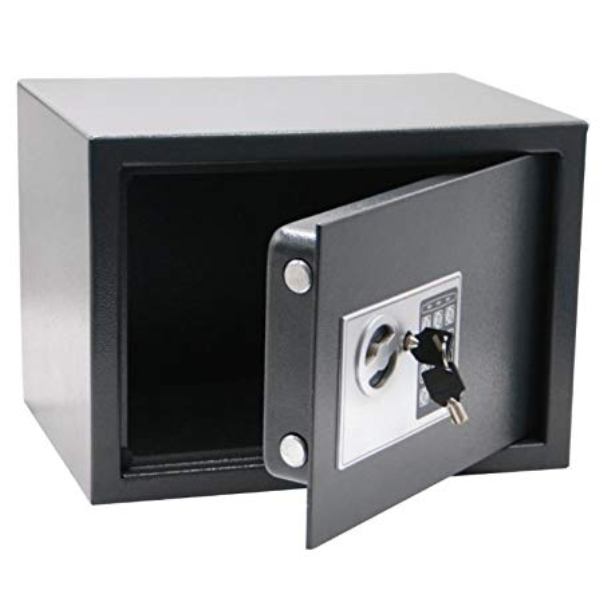
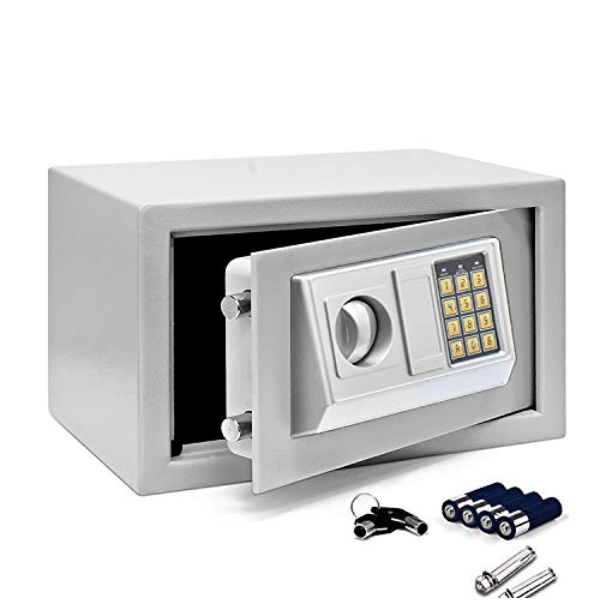
About Gobbler GS170D Dark Grey Digital Electronic Safe Locker Box
Size 230 x 170 x 170 mm
Thickness Body -2 mm , Door 4 mm
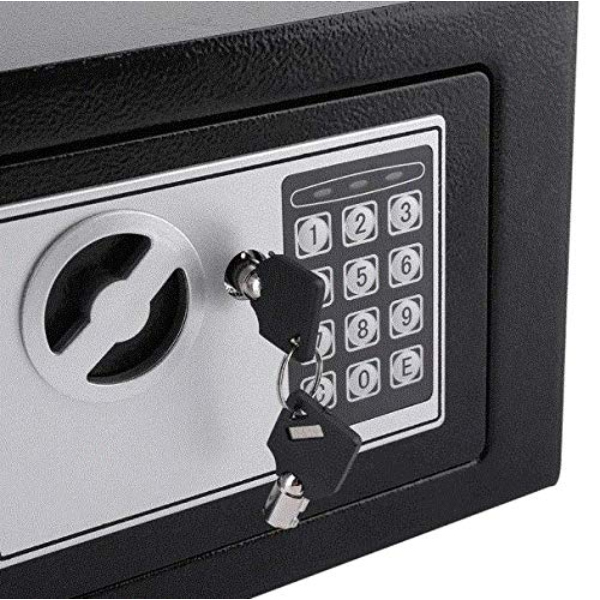
Operation Opens with digital pin code or override keys
Password Setting Password can be programmed 3-8 digit long
Color Dark grey
Weight : 4.3 kg
Ideal Usage : Small Jwellery , passport, Key Documents , credit cards etc.
Enhanced Dual Access SecurityThe Gobbler GS170D provides advanced protection by combining a digital electronic lock with a mechanical override key. This dual-access feature ensures that you always retain control over your valuables, offering convenience and peace of mind even if you forget your code or batteries run out. The robust steel build adds an extra layer of physical security.
Practical Features and User-Friendly DesignEquipped with an LED display for easy code entry and a clear status overview, the locker warns you with an inbuilt alarm after three consecutive incorrect code attempts. Its carpet mat base protects valuables from scratches, while low battery indication ensures you're never unexpectedly locked out. The safe's moderate size and lightweight build make relocation and installation simple.
Flexible Installation OptionsDesigned for flexibility, the GS170D can be mounted securely to the wall or floor using the included hardware. Pre-drilled holes make installation quick, while its compact footprint allows discreet placement at home, in the office, or within cabinets. Protect your essentials without sacrificing space.
FAQ's of Gobbler GS170D Dark Grey Digital Electronic Safe Locker Box:
Q: How do I set or change the digital code on the Gobbler GS170D safe?
A: To set or change your digital access code, open the safe using the default or your previous code, locate the reset button inside the door, press it, and then enter your new code followed by the confirm button. Always refer to the user manual for detailed instructions specific to your model.
Q: What should I do if I forget my code or the batteries run out?
A: If you forget your code or the batteries are depleted, use the provided mechanical override key to access your safe. The override key slot is typically concealed for security; consult the manual for its location. Always store the key in a secure, separate place.
Q: When and how should I replace the safe's batteries?
A: When the low battery indicator on the LED display appears, replace the batteries promptly. Open the safe, locate the battery compartment (usually inside the door), and insert 4 new AA batteries (not included). Ensure they are correctly aligned to avoid power issues.
Q: Where can I install the Gobbler GS170D safe locker?
A: The safe is designed to be mounted either on a wall or the floor. Use the supplied hardware and pre-drilled holes for secure installation in locations such as closets, beneath desks, or inside cabinets. Choose a discreet, accessible spot for added security and convenience.
Q: What is the process if the wrong code is entered multiple times?
A: If an incorrect code is entered three times consecutively, the built-in alarm will sound. This feature helps deter unauthorized access and alerts you to potential tampering.
Q: How does the interior carpet mat benefit my valuables?
A: The interior carpet mat base protects keys, jewelry, cash, and delicate items from scratches or damage, maintaining their condition while they are stored securely.
Q: What makes the Gobbler GS170D safe suitable for home or office use?
A: Its robust steel construction, compact dimensions, dual-access control, and flexible mounting options make the GS170D ideal for safeguarding valuables, documents, and cash in both home and office environments.






 Send Inquiry


 Send Inquiry
 Send Inquiry
 Send SMS